Factory monitoring service — GENBA MIERU
A single LAN cable. No major installation work.
Already in service at a factory within a major textile manufacturing group
Does any of this sound familiar?
Someone has to walk out to the floor just to check whether the line is running.
Unit counts and downtime are kept on handwritten sheets and a whiteboard.
Replacing the equipment is out of budget — but leaving it as it is feels risky.
How it works
A small Linux server, no bigger than your hand, connects to your existing control panel with a LAN cable. From then on you can see the state of the equipment in real time, in a browser on the PCs and tablets you already use.
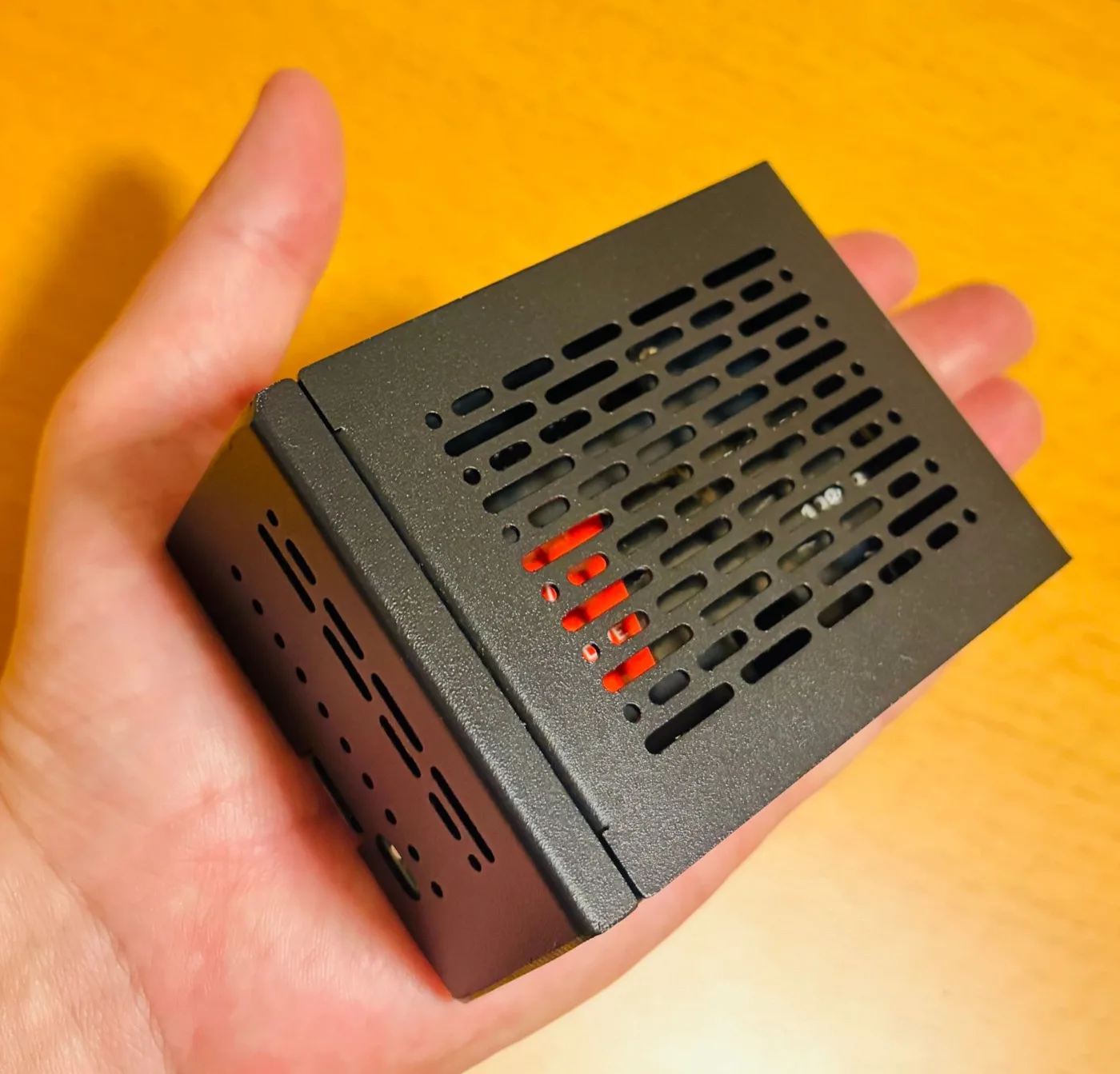
It is small enough to sit in your hand, so it goes in a spare space in the control panel. Connect it to the existing machine controller (the PLC) with a LAN cable and it reads what the PLC already knows and stores it automatically: whether the machine is running or stopped, how many units have been made, what the temperature is — and so on.
You look at it on the computers and phones you already use. It is the same screen you browse the web with, so there is no special hardware or software to buy. The data travels only within your internal network and never leaves for an outside cloud.
What becomes visible
Which machines are running right now and which are not — visible at a glance from the office.
Counted automatically, so nobody has to copy figures onto a sheet and add them up. Values the PLC holds, such as temperature, can be collected too.
When, how often and for how long each machine stopped. The equipment worth improving shows up as a number.
Key points
We read the data straight from the Mitsubishi Electric PLC already in your control panel. No modification and no replacement of the machine.
Even a machine with no PLC can report running status or unit counts once a sensor is fitted. “Our equipment is too old” is rarely the end of the conversation.
Begin with one machine or one line. You confirm the benefit before extending it, so there is no large commitment up front.
*1 — Depending on what you want to see, the ladder program may need modifying. We handle that as part of the work.
Straight answers
So that nothing comes as a surprise after it is installed, here is the honest version.
Track record
In service at a factory within a major textile manufacturing group
We connected a small server to the control panel of production equipment that had been running for many years, and built a setup that collects and displays running status and unit counts automatically. Management moved from walking the floor and keeping paper records to checking the state of the equipment on screen, which has helped with spotting unplanned stoppages and has cut the record-keeping work.
* In line with our confidentiality obligations, the client name, equipment details and specific figures are withheld.
Enquiries about similar equipment are welcome and are handled under the same confidentiality.
How we proceed
Tell us what would be useful to see. We also check the machine model and whether there is a PLC. There is no charge for this.
We look at the control panel and the cable route, work out what data can be obtained and what work is needed, and quote for it.
We fit the small server, connect it over LAN, and build the display around the items you want to see on the floor.
We walk your people through it and the system goes live. Adding items or extending to more machines can be discussed as you go.
Frequently asked
Will it work with any equipment?
If the machine has a Mitsubishi Electric PLC, we can connect over LAN and read its running status. Older machines without a PLC can often still be covered by adding sensors to pick up running status or unit counts. Tell us what you have and we will look at it.
Does it need major installation work or replacing the machine?
No. A server small enough to sit in your hand goes near the control panel and connects with a single LAN cable. In most cases it can be fitted without stopping production.
Can we try it on just one machine first?
Yes. We recommend starting with one machine or one line, confirming the benefit, and widening the scope from there.
Is the data sent to an external cloud?
In the standard configuration everything stays inside your internal network and nothing is sent to an outside cloud. If you want to view it from off site, we will design that around your security requirements.
Do you work outside your local area?
We work throughout Japan, and meetings can be held online. Travel costs apply for on-site surveys and visits.
There is no charge for the conversation or the quotation. A photograph of the equipment is enough to begin with.
“Would this even work on ours?” is a perfectly good place to start.
info@cocra.co.jp
Enquiries are handled by email, in English or Japanese.
We reply within three business days (weekdays 9:00–18:00 JST).
CodeCraft Inc.
Miyakonojo Hirae-cho Bldg. 304, 1-1 Hirae-cho, Miyakonojo, Miyazaki 885-0021, Japan
Mail info@cocra.co.jp
CodeCraft Inc. corporate site